
Creative · 17 October 2026 · 2 min read
Modulate any VST3 or AU plugin with LFOs, audio and visuals
Load a third-party plugin into Infinite and drive its parameters from an LFO, an envelope follower or something moving on screen.
By Naman Soni
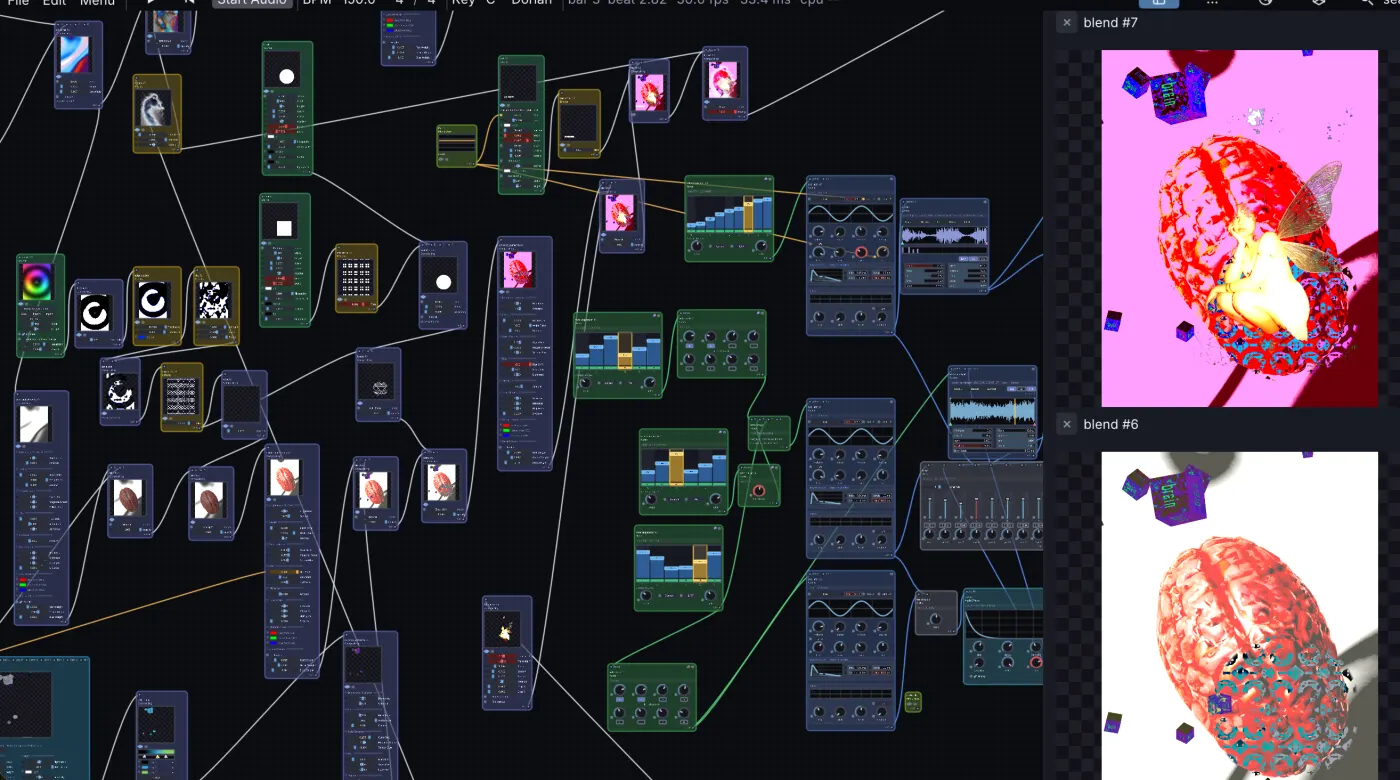
Plugins usually come with a fixed set of modulation: the LFOs and envelopes their authors built in. In Infinite, a hosted plugin is just another node, and its parameters are controls like any other. Anything that makes a number can move them.
What can be hosted
Infinite hosts Audio Unit plugins on macOS and VST3 plugins on macOS, Windows and Linux. Each plugin opens in its own native window, and its parameters appear as controls you can automate and modulate.
Three ways to move a knob
- An LFO. Add an LFO node, connect it to the parameter, and set the range. It is the quickest way to give any filter or reverb some life.
- The sound itself. An Envelope Follower turns the loudness of a signal into a number. Send it from a drum bus to a plugin's filter cutoff for simple ducking and pumping.
- A picture. An Image Analyze node reads luminance or motion from a video or a shader. Wire it to a plugin knob and the music reacts to what you see.
A patch to try
- Add a synth, then your favourite delay or reverb plugin after it.
- Add an LFO and connect it to the plugin's mix or feedback control.
- Add an Envelope Follower on the synth and connect it to the plugin's filter.
- Draw a shape and let the same LFO drive its size, so what you hear and what you see move together.
Why it matters
Most hosts can automate a plugin, but only from inside that host's own lanes. Here the source can be a synth, a camera, a physics simulation or a few lines of Field code. Your existing plugins gain a modulation system they never had.
Infinite is free and open source. The Node Reference Manual lists every modulator and what it outputs.