
Creative · 19 October 2026 · 2 min read
Bringing Shadertoy GLSL shaders into Infinite for audio reactivity
How to convert any Shadertoy fragment shader into a native real-time node in Infinite, hook it up to audio analysis FFT bands, and export high-resolution video.
By Naman Soni
on this page
Shadertoy is the world's greatest sketchbook for pixel shaders. But getting a Shadertoy shader to respond dynamically to your music, sync with MIDI, or render out to high-resolution MP4 video often involves clumsy workarounds, browser recording extensions, or complex OSC bridges.
In Infinite, shaders are native first-class nodes that sit directly alongside polyphonic synthesizers, audio effects, and sequencers on one infinite canvas.
The Coordinate Space Mapping
Shadertoy uses standard pixel coordinates:
void mainImage(out vec4 fragColor, in vec2 fragCoord) {
    vec2 uv = fragCoord / iResolution.xy;
    // ...
}
In Infinite's Field Pixel node (Source FieldPixel), coordinates are normalized and aspect-corrected by default:
uv: normalized texture coordinate ([0, 1] x [0, 1])aspect: screen width divided by screen height (res.x / res.y)t: elapsed time in seconds (equivalent toiTime)p = (uv - 0.5) * aspect: center-origin aspect-corrected coordinates
Adding Instant Audio Reactivity
On Shadertoy, audio reactivity requires binding an audio texture input (iChannel0). In Infinite, audio reactivity is immediate and native:
- Wire an Audio Analyze node to your incoming sound or synth output.
- The node exposes 8 spectral bands: sub-bass, bass, low-mid, mid, high-mid, presence, brilliance, and onset pulses.
- Wire any band pin directly into a parameter on your Field Pixel shader node.
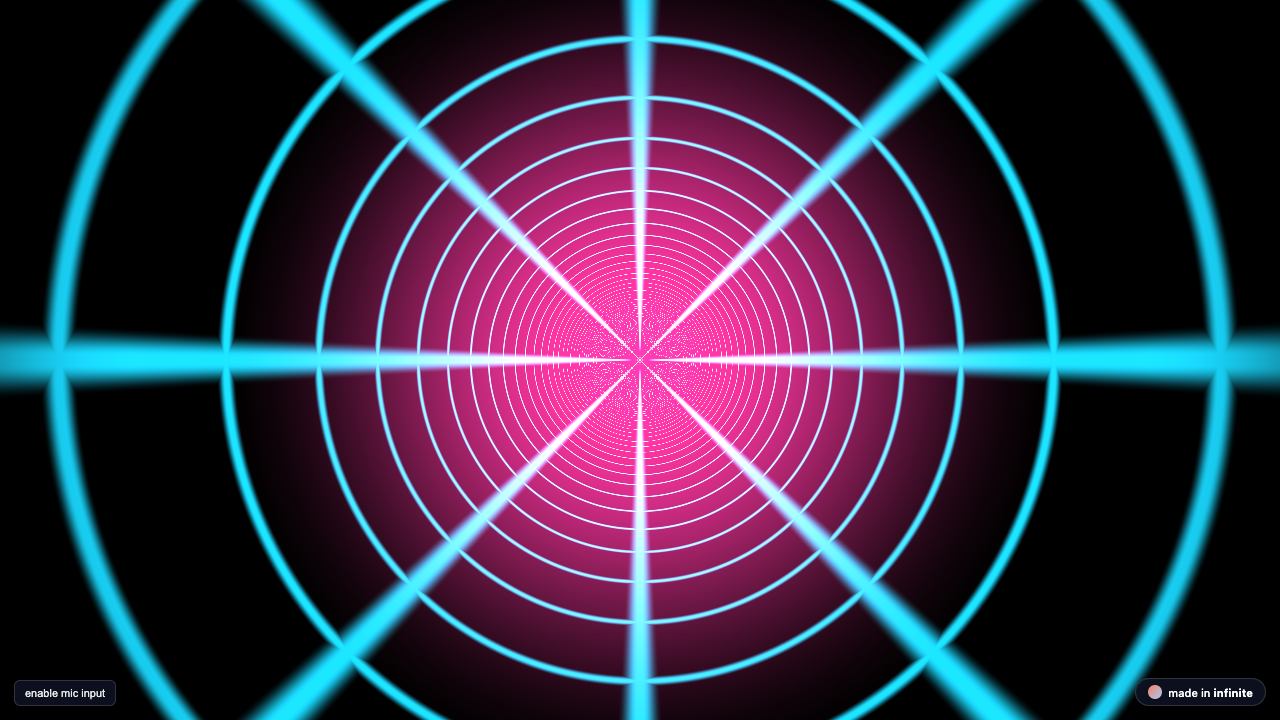
Here is an authentic audio-reactive neon tunnel kernel in Field language:
p = (uv - 0.5) * aspect;
r = length(p);
a = atan(p.y, p.x);

u_coord = a / 3.14159265;
v_coord = 1.0 / (r + 0.001) + t * (1.5 + 1.2 * bass);

grid_u = abs(fract(u_coord * 4.0) - 0.5);
grid_v = abs(fract(v_coord * 2.0) - 0.5);
lines = smoothstep(0.42, 0.49, max(grid_u, grid_v));

wire = vec3(lines) * vec3(0.1, 0.85, 1.0) * (0.8 + 0.6 * mid);
center = vec3(0.95, 0.2, 0.6) * (1.0 - smoothstep(0.0, 0.6, r)) * (0.8 + 0.8 * bass);
col = (wire + center) * (0.7 + 0.5 * bass);
Live Interactive WebGL Widget
You can test this exact visualizer running live in WebGL below:
Exporting High-Resolution Video Headlessly
Unlike web tools that drop frames during screen capture, Infinite renders every single frame deterministically through its headless C++ engine:
# Render a 1080p 60fps MP4 video with synced 24-bit audio
./Infinite --render /path/to/shader_patch.inf output.mp4 --duration 10 --fps 60
Every frame is rendered offscreen using OpenGL 3.2 framebuffers, guaranteeing zero dropped frames even on complex raymarchers.
Explore More Embeds
Check out the full Interactive Embeds Gallery to view 14 live shaders with one-click iframe embedding for your own website or portfolio.