
Effects node
Ripple
Three separate optical-warp nodes: Twirl spins a vortex around a center point, Pinch/Punch magnifies or implodes like a lens, and Ripple sends concentric water rings out from a point. Chain any of them together for compound warps.
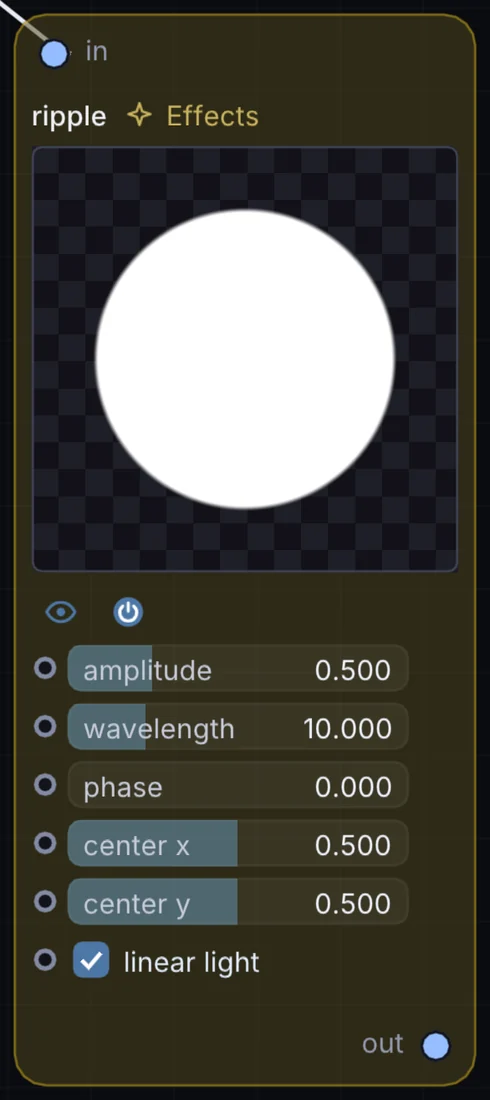
What it does
Ripple is an image effect: it changes the picture that flows through it. It takes picture in and gives picture out.
Try it
Map your Macro XY trackpad to Twirl's angle and "paint" the swirl live during a performance.
XY Motion PadTwirl (Angle)Live Video
Inputs and outputs
Inputs
- picture input
Outputs
- picture out
Controls
Every control with a range can be driven by a modulator, a note, an audio level or a sketch.
| Control | Range or options | Default |
|---|---|---|
| amplitude | 0 to 2 | 0.5 |
| wavelength | 1 to 40 | 10 |
| phase | 0 to 20 | 0 |
| center x | 0 to 1 | 0.5 |
| center y | 0 to 1 | 0.5 |
Example patch
This patch wires Ripple to what it needs and shows the result. Download it, then use File, Open in Infinite, or read it here: it is plain text.
infinite-patch 1
rev 2
# Ripple: a starting patch for the Ripple node
node 1 Effects ripple
  id node
  pos 520 300
end
node 2 Source Ramp
  id in0
  pos 0 300
end
node 3 Utility Output
  id out
  pos 1080 300
end
cable node 0 in0
cable out 0 node