
agents
Agents & terminal
Say what you want in plain words. Claude, ChatGPT or Gemini, on your own account, changes your project. Every change has an Undo.
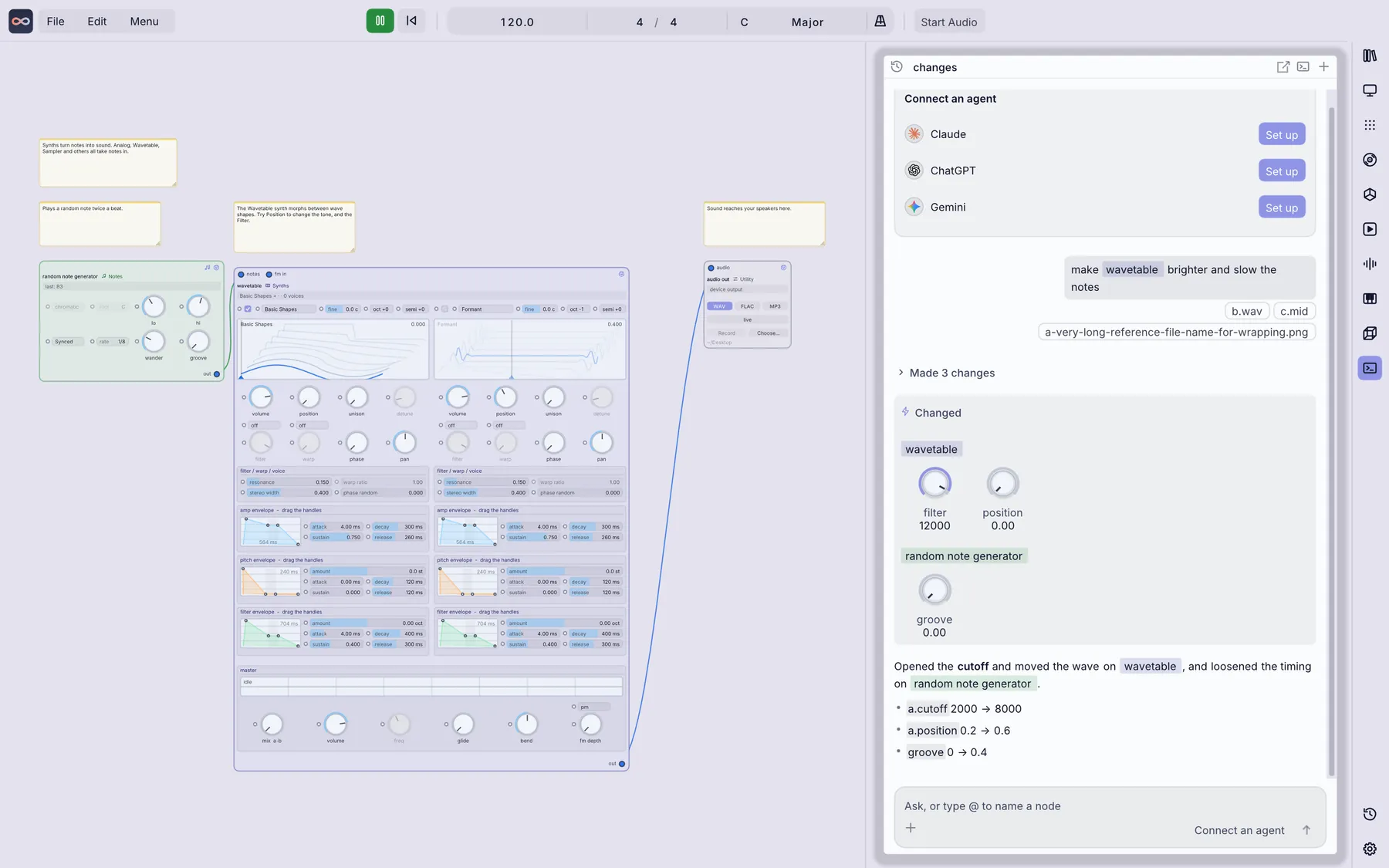
Things you can say
| You type | What happens |
|---|---|
@cube set size to 2 | Runs instantly, no AI needed. @ picks a node. |
connect @a to @b | Draws the cable, instantly. |
make the rings feel like they are breathing | Your assistant decides how, then lists what it changed. |
/undo | Takes back the last change. |
Connect an assistant
| Assistant | Made by | Signing in |
|---|---|---|
| Claude | Anthropic | Sign in on the page that opens. |
| ChatGPT | OpenAI | Sign in on the page that opens. |
| Gemini | Sign in, then paste the short code into the chat. |
You sign in on the provider's own page, so Infinite never sees your password. Usage counts against your own plan.
You stay in control
- Undo. Every change card has an Undo button.
- One folder. The assistant only works in the folder you choose in Settings.
- Local chats. Your chats stay on your computer.
- Optional. Everything also works with the mouse and keyboard.
Start in 3 steps
- Download Infinite and open any project.
- In the chat panel, press Set up next to your assistant and sign in.
- Type
@, pick a node, and say what you want.
Building your own tools? See the developers page.