
Utility node
Output
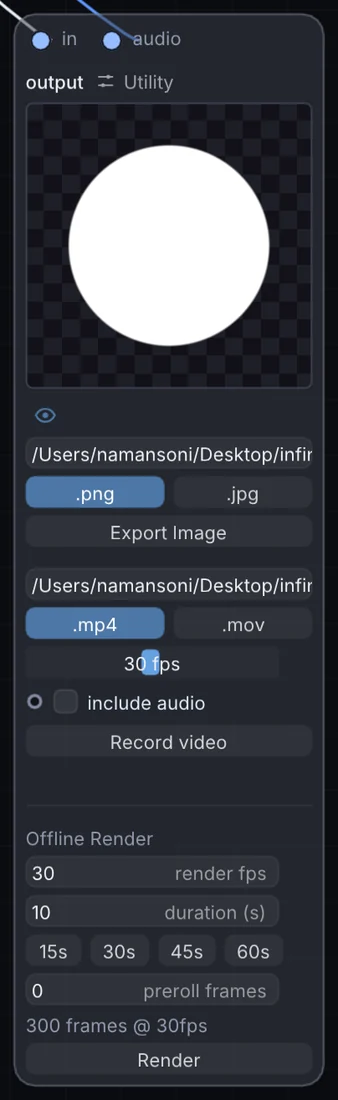
The last node in every patch — sends your visuals and audio to the screen and speakers, and can record both to disk at once as an H.264 movie, ready to share or edit further.
What it does
Output is a utility node: it routes signals in and out of Infinite or sets up the canvas. It takes picture and audio in and gives picture out.
Try it
Hit Record on your finished Layer Stack and audio mix to bounce a performance straight to file.
Layer Stack (Visuals) + Audio MixOutput
Inputs and outputs
Inputs
- picture in
- audio audio
Outputs
- picture out
Controls
Every control with a range can be driven by a modulator, a note, an audio level or a sketch.
| Control | Range or options | Default |
|---|---|---|
| include audio | on or off | off |
Example patch
This patch wires Output to what it needs and shows the result. Download it, then use File, Open in Infinite, or read it here: it is plain text.
infinite-patch 1
rev 2
# Output: a starting patch for the Output node
node 1 Utility Output
  id node
  pos 520 300
end
node 2 Source Ramp
  id in0
  pos 0 220
end
node 3 Synths Oscillator
  id in1
  pos 0 510
end
node 4 Utility Output
  id out
  pos 1080 300
end
cable node 0 in0
aud node 1 in1
cable out 0 node