
Utility node
OSC Receive
Listens on a network port for OSC messages matching an address pattern and reports the last value received as a modulator, remapped to a low/high range — it patches in exactly like an LFO or Random node, just driven by another app or device instead.
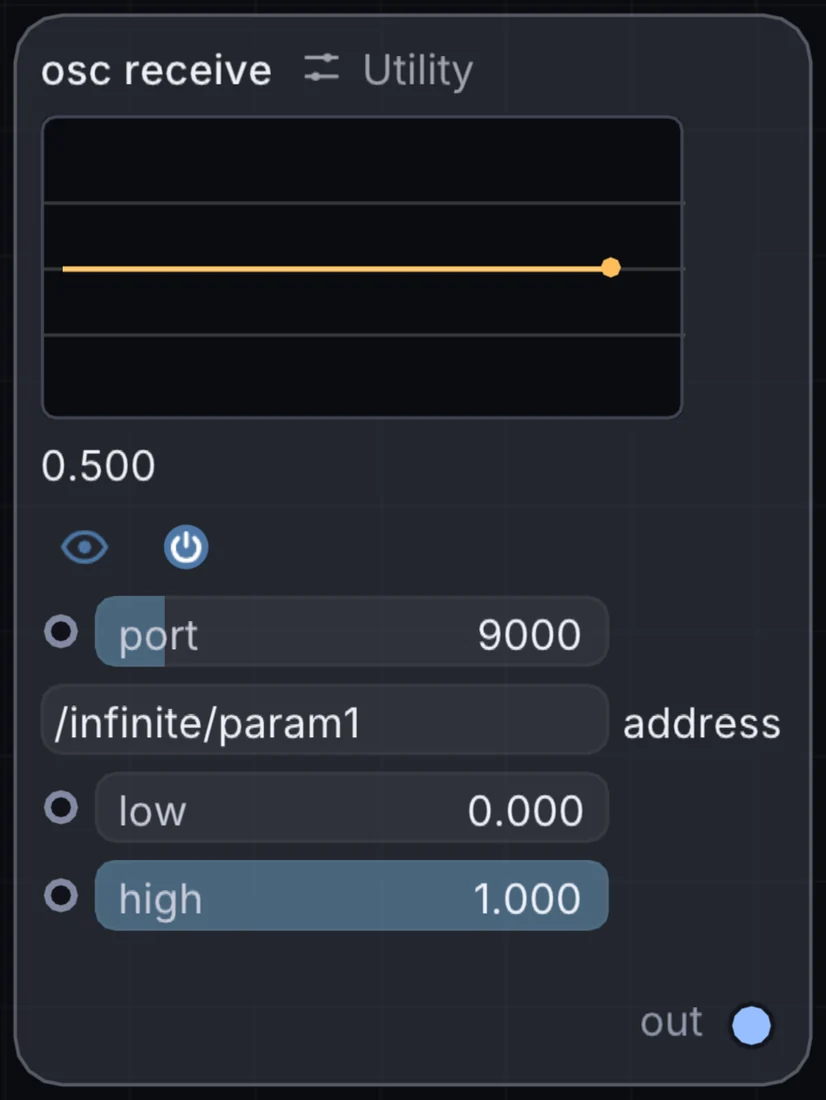
What it does
OSC Receive is a utility node: it routes signals in and out of Infinite or sets up the canvas. It has no input and gives control signal out, so it starts a chain.
Try it
Drive Bloom's amount from a TouchOSC fader on your phone for a wireless second pair of hands.
OSC ReceiveMod DepthBloom (Amount)
Inputs and outputs
Inputs
- None. It starts a chain.
Outputs
- control signal out
Controls
Every control with a range can be driven by a modulator, a note, an audio level or a sketch.
| Control | Range or options | Default |
|---|---|---|
| port | 1 to 65535 | 9000 |
| low | 0 to 1 | 0 |
| high | 0 to 1 | 1 |
Example patch
This patch wires OSC Receive to what it needs and shows the result. Download it, then use File, Open in Infinite, or read it here: it is plain text.
infinite-patch 1
rev 2
# OSC Receive: a starting patch for the OSC Receive node
node 1 Utility OSC Receive
  id node
  pos 520 300
end
node 2 Source Shape
  id shape
  pos 1080 300
end
node 3 Utility Output
  id out
  pos 1640 300
end
mod shape sizeX node 0 0 0.6 0.5
cable out 0 shape