
Utility node
OSC Send
The one node with no output at all: it reads whatever modulator is patched into it and sends its value out over the network as an OSC message, so a lighting console, Max/MSP patch, or another OSC-speaking app can react to what's happening inside Infinite.
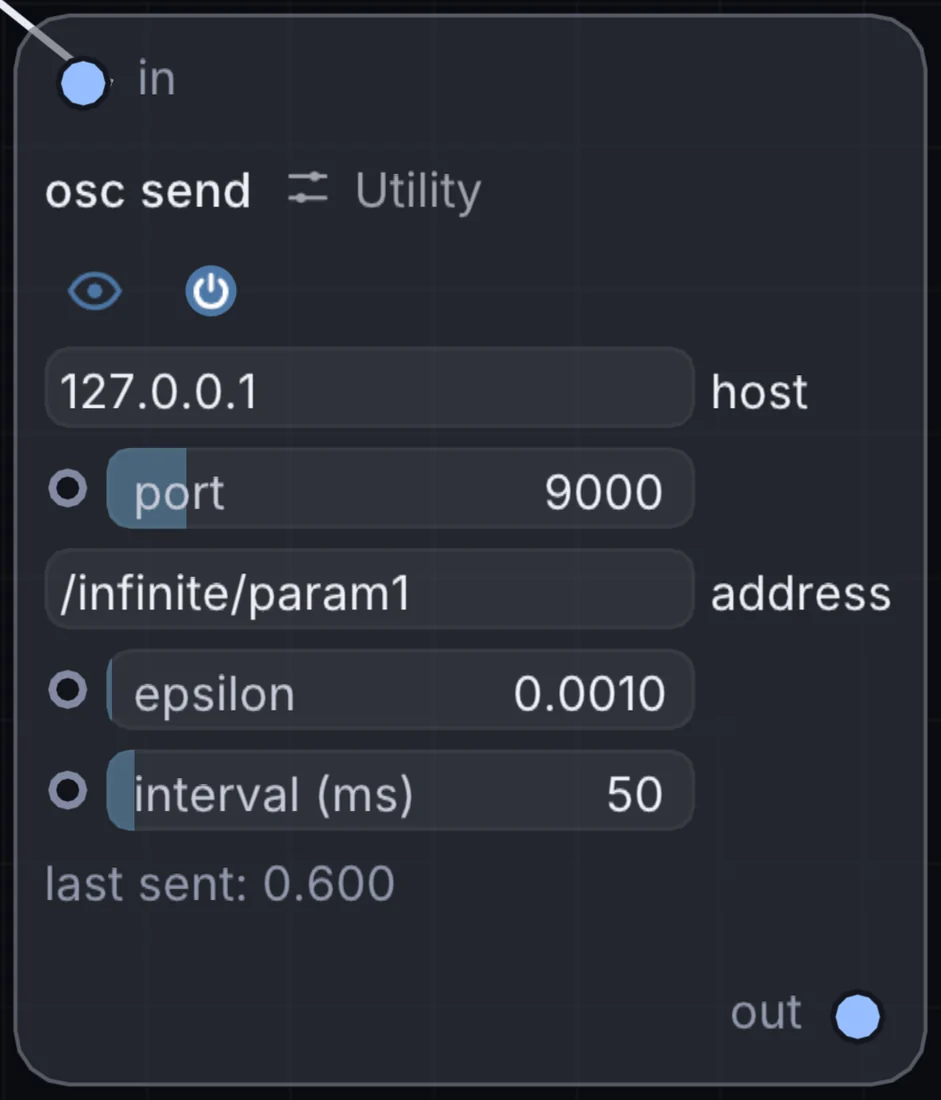
What it does
OSC Send is a utility node: it routes signals in and out of Infinite or sets up the canvas. It takes control signal in and gives picture out.
Try it
Send Audio Analyze's bass band out over OSC to pulse a real DMX light rig on every beat.
Inputs and outputs
Inputs
- control signal in
Outputs
- picture out
Controls
Every control with a range can be driven by a modulator, a note, an audio level or a sketch.
| Control | Range or options | Default |
|---|---|---|
| port | 1 to 65535 | 9000 |
| epsilon | 0 to 0.1 | 0.00100000005 |
| interval (ms) | 1 to 1000 | 50 |
Example patch
This patch wires OSC Send to what it needs and shows the result. Download it, then use File, Open in Infinite, or read it here: it is plain text.
infinite-patch 1
rev 2
# OSC Send: a starting patch for the OSC Send node
node 1 Utility OSC Send
  id node
  pos 520 300
end
node 2 Modulators LFO
  id lfo0
  pos 0 300
end
node 3 Utility Output
  id out
  pos 1080 300
end
mod node port lfo0 0 0 1 0.5
cable out 0 node