
Prediction node
Predictive Coloring
Learns what graded footage looks like to you and grades incoming frames toward it. Press Learn on footage you've already graded to build a target look, or leave self normalize on to auto-level without one. Mix blends the grade in, and Wander makes it drift gently among looks it has actually seen.
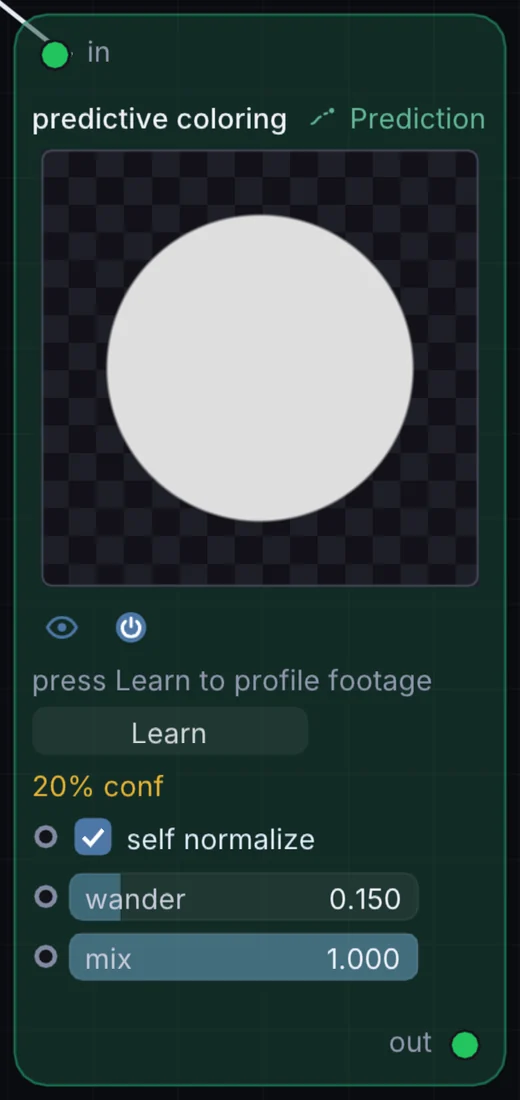
What it does
Predictive Coloring is a prediction node: it guesses where a value or a phrase goes next and drifts around that guess. It takes picture in and gives picture out.
Try it
Learn from a graded still, then run raw video through it to match.
Video InPredictive ColoringOutput
Inputs and outputs
Inputs
- picture input
Outputs
- picture out
Controls
Every control with a range can be driven by a modulator, a note, an audio level or a sketch.
| Control | Range or options | Default |
|---|---|---|
| mix | 0 to 1 | 1 |
| self normalize | on or off | on |
| wander | 0 to 1 | 0.150000006 |
Example patch
This patch wires Predictive Coloring to what it needs and shows the result. Download it, then use File, Open in Infinite, or read it here: it is plain text.
infinite-patch 1
rev 2
# Predictive Coloring: a starting patch for the Predictive Coloring node
node 1 Prediction Predictive Coloring
  id node
  pos 520 300
end
node 2 Source Ramp
  id in0
  pos 0 300
end
node 3 Utility Output
  id out
  pos 1080 300
end
cable node 0 in0
cable out 0 node