
Audio effects node
Dynamics
A compressor that squashes loud peaks down once they cross a Threshold, tightening dynamics by a set Ratio, with Attack/Release/Makeup rounding out the feel.
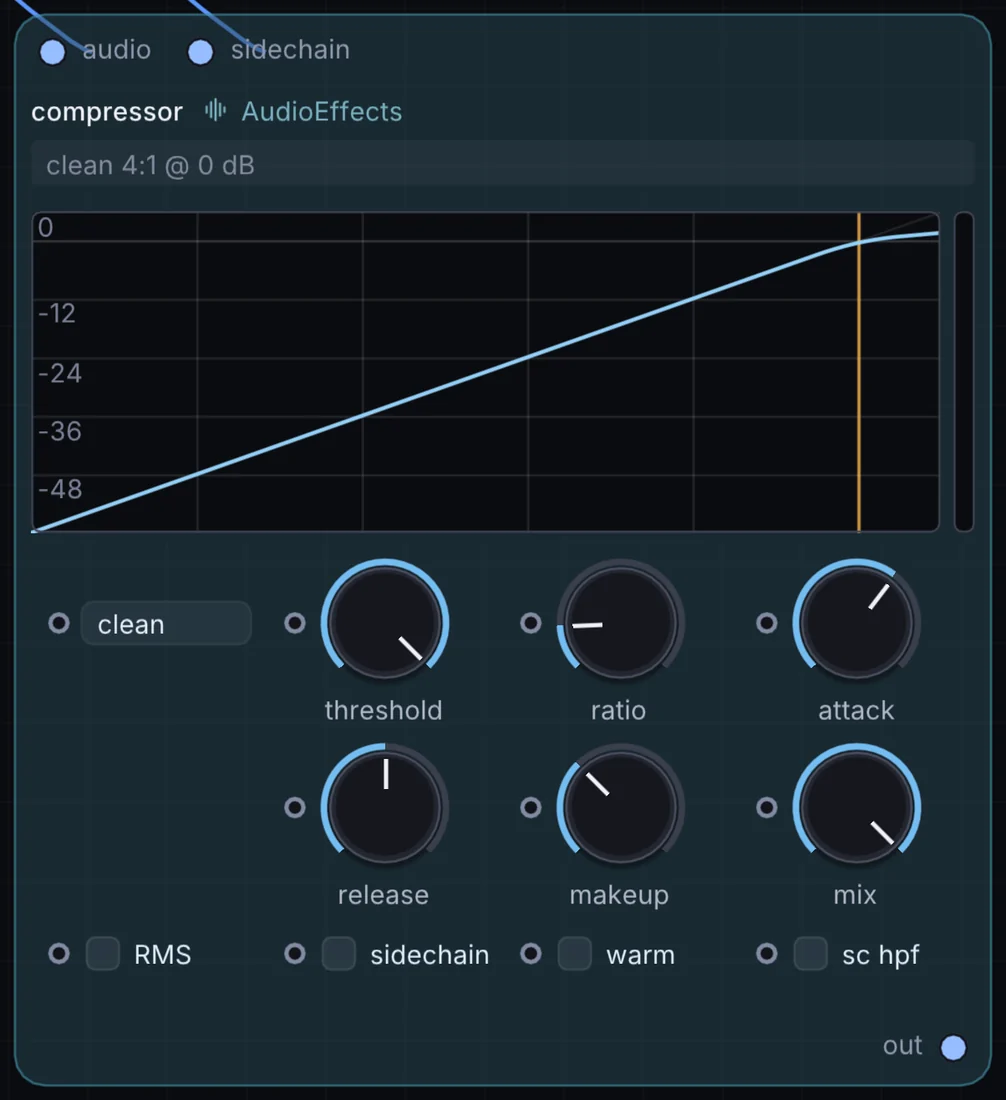
What it does
Dynamics is an audio effect: it changes the sound that flows through it. It takes audio in and gives audio out.
Inputs and outputs
Inputs
- audio audio
- audio sidechain
Outputs
- audio out
Controls
Every control with a range can be driven by a modulator, a note, an audio level or a sketch.
| Control | Range or options | Default |
|---|---|---|
| mix | 0 to 1 | 1 |
| threshold | -60 to 0 | 0 |
| ratio | 1 to 20 | 4 |
| attack | 0.05 to 200 | 10 |
| release | 5 to 2000 | 100 |
| makeup | -12 to 24 | 0 |
Example patch
This patch wires Dynamics to what it needs and shows the result. Download it, then use File, Open in Infinite, or read it here: it is plain text.
infinite-patch 1
rev 2
# Dynamics: a starting patch for the Dynamics node
node 1 AudioEffects Dynamics
  id node
  pos 520 300
end
node 2 Synths Oscillator
  id in0
  pos 0 220
end
node 3 Synths Oscillator
  id in1
  pos 0 510
end
node 4 Utility Audio Out
  id speakers
  pos 1080 300
end
aud node 0 in0
aud node 1 in1
aud speakers 0 node