
3D node
Gear 3D
A 3D cogwheel. Depth sets the thickness, and tooth depth and hub hole shape the teeth and the centre bore. It carries the 3D suffix because the 2D Shape node already has its own Gear.
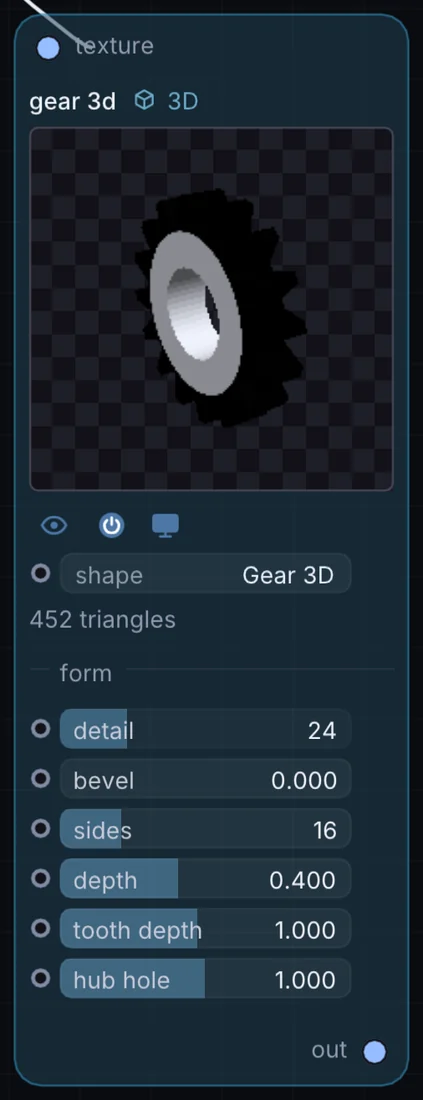
What it does
Gear 3D is a 3D node: it builds, changes or lights geometry that Render 3D turns into a picture. It takes picture in and gives 3D shape out.
Try it
Rotate two Gear 3Ds in opposite directions for a clockwork look.
Inputs and outputs
Inputs
- picture texture
Outputs
- 3D shape out
Controls
Every control with a range can be driven by a modulator, a note, an audio level or a sketch.
| Control | Range or options | Default |
|---|---|---|
| shape | Plane, Cube, Sphere, Icosphere, Torus, Cylinder, Cone, Torus Knot … | 20 |
| detail | 2 to 96 | 24 |
| sides | 3 to 64 | 16 |
| depth | 0.02 to 0.95 | 0.400000006 |
| bevel | 0 to 1 | 0 |
| tooth depth | 0.1 to 2 | 1 |
| hub hole | 0 to 2 | 1 |
Example patch
This patch wires Gear 3D to what it needs and shows the result. Download it, then use File, Open in Infinite, or read it here: it is plain text.
infinite-patch 1
rev 2
# Gear 3D: a starting patch for the Gear 3D node
node 1 3D Gear 3D
  id node
  pos 520 300
end
node 2 Source Ramp
  id in0
  pos 0 300
end
node 3 3D Render 3D
  id view
  pos 1080 300
end
node 4 Utility Output
  id out
  pos 1640 300
end
cable node 0 in0
geo view 0 node
cable out 0 view