
3D node
Decimate
Reduces triangle count while keeping the overall shape. Keep is the fraction of triangles to leave, and Lock border holds open edges in place. UVs, colours and hard shading survive, and very low settings stop when no safe collapse remains.
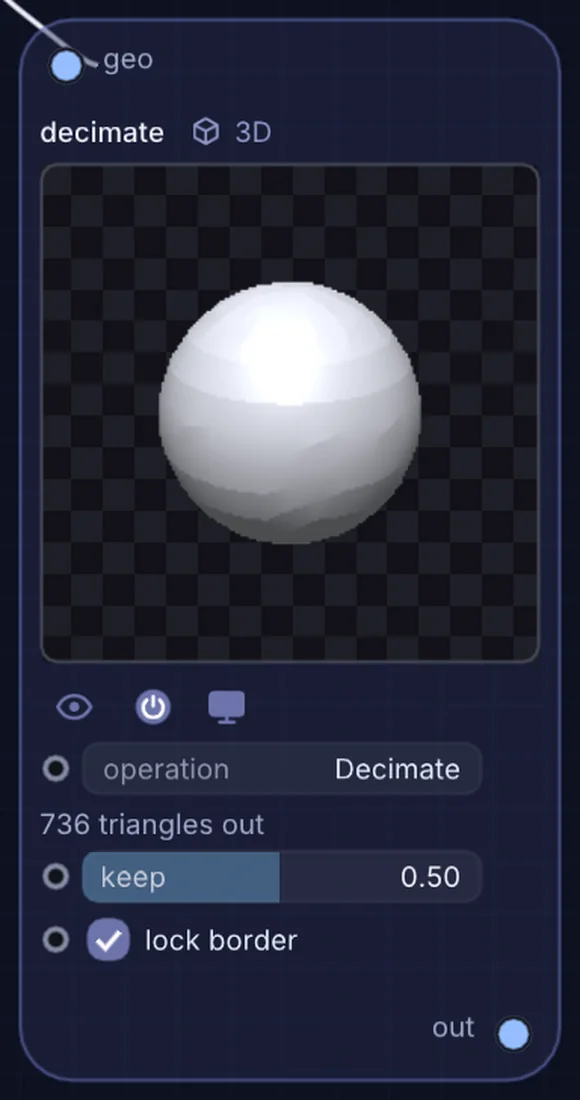
What it does
Decimate is a 3D node: it builds, changes or lights geometry that Render 3D turns into a picture. It takes 3D shape in and gives 3D shape out.
Try it
Drop keep to 10% for a low-poly look on a dense sphere.
Inputs and outputs
Inputs
- 3D shape geo
- 3D shape guide
Outputs
- 3D shape out
Controls
Every control with a range can be driven by a modulator, a note, an audio level or a sketch.
| Control | Range or options | Default |
|---|---|---|
| operation | Transform, Array, Subdivide, Solidify, Extrude, Wireframe, Triangulate, Normals … | 18 |
| keep | 0.01 to 1 | 0.5 |
| lock border | on or off | on |
Example patch
This patch wires Decimate to what it needs and shows the result. Download it, then use File, Open in Infinite, or read it here: it is plain text.
infinite-patch 1
rev 2
# Decimate: a starting patch for the Decimate node
node 1 3D Decimate
  id node
  pos 520 300
end
node 2 3D Cube
  id in0
  pos 0 220
end
node 3 3D Cube
  id in1
  pos 0 510
end
node 4 3D Render 3D
  id view
  pos 1080 300
end
node 5 Utility Output
  id out
  pos 1640 300
end
geo node 0 in0
geo node 1 in1
geo view 0 node
cable out 0 view