
Audio effects node
Field Effect
Runs a Field kernel once per audio sample as a custom effect you write yourself — declare a bit of state for a delay line or filter memory, declare a param for an automatic modulatable knob, and write the DSP math directly instead of hunting for the right built-in. See Chapter Twenty for the Field language itself.
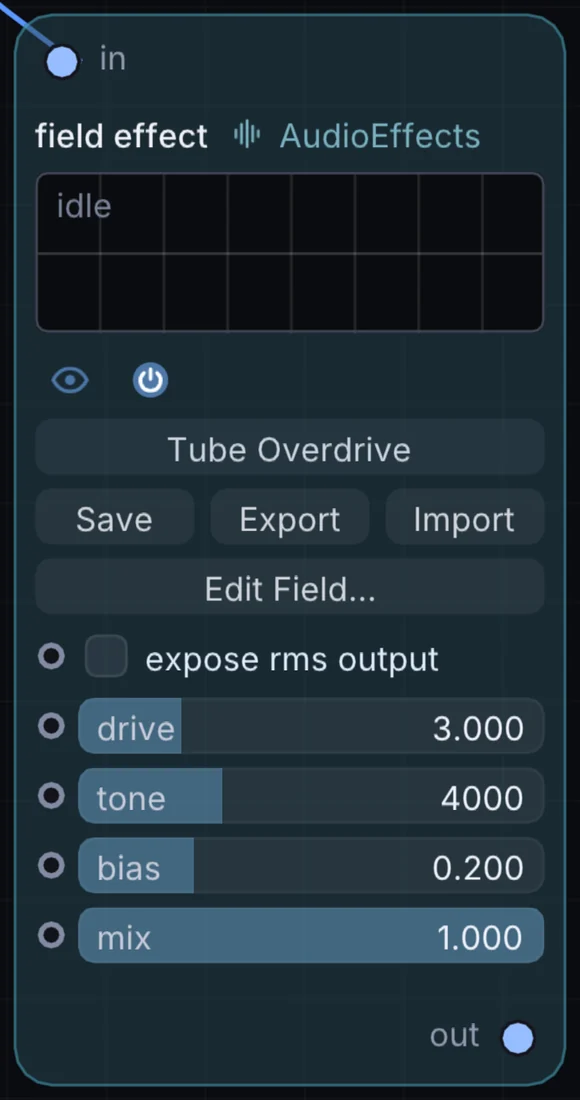
What it does
Field Effect is an audio effect: it changes the sound that flows through it. It takes audio in and gives audio out.
Try it
Write a simple one-pole low-pass in a few lines and compare it against the built-in Audio Filter.
Audio SourceField EffectAudio Out
Inputs and outputs
Inputs
- audio in
Outputs
- audio out
Controls
Every control with a range can be driven by a modulator, a note, an audio level or a sketch.
| Control | Range or options | Default |
|---|---|---|
| expose rms output | on or off | off |
| drive | 1 to 10 | 3 |
| tone | 400 to 12000 | 4000 |
| bias | 0 to 0.8 | 0.200000003 |
| mix | 0 to 1 | 1 |
Example patch
This patch wires Field Effect to what it needs and shows the result. Download it, then use File, Open in Infinite, or read it here: it is plain text.
infinite-patch 1
rev 2
# Field Effect: a starting patch for the Field Effect node
node 1 AudioEffects Field Effect
  id node
  pos 520 300
end
node 2 Synths Oscillator
  id in0
  pos 0 300
end
node 3 Utility Audio Out
  id speakers
  pos 1080 300
end
aud node 0 in0
aud speakers 0 node