
Modulators node
LFO
A slow, repeating wave — sine, triangle, saw up, saw down, square, or sample-and-hold — that you plug into almost any knob in the patch to make it move on its own, in time with the music if you like.
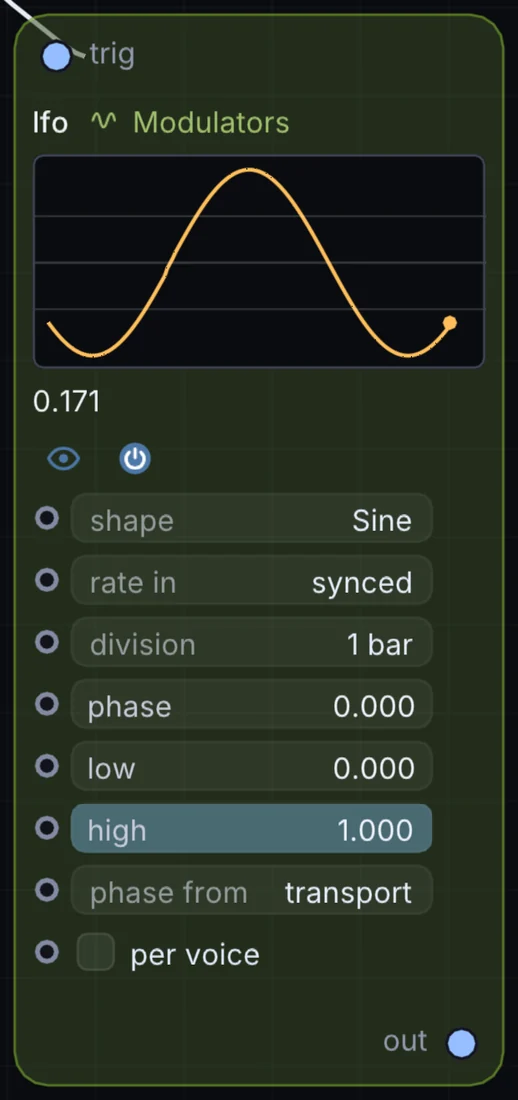
What it does
LFO is a modulator: it makes a moving value that can drive any control on the canvas. It takes control signal in and gives control signal out.
Try it
Sync an LFO to a quarter note and wire it to a filter's cutoff for an automatic wobble.
LFO (Sine, 1/4)Audio Filter (Cutoff)
Inputs and outputs
Inputs
- control signal trig
Outputs
- control signal out
Controls
Every control with a range can be driven by a modulator, a note, an audio level or a sketch.
| Control | Range or options | Default |
|---|---|---|
| shape | Sine, Triangle, Saw Up, Saw Down, Square, Sample & Hold | 0 |
| rate | 0.05 to 32 | 4 |
| phase | 0 to 1 | 0 |
| low | 0 to 1 | 0 |
| high | 0 to 1 | 1 |
| rate in | beats, synced, Hz | 1 |
| rate (Hz) | 0.01 to 40 | 1 |
| phase from | transport, free, retrigger | 0 |
| seed | 0 to 200 | 5.46999979 |
| per voice | on or off | off |
Example patch
This patch wires LFO to what it needs and shows the result. Download it, then use File, Open in Infinite, or read it here: it is plain text.
infinite-patch 1
rev 2
# LFO: a starting patch for the LFO node
node 1 Modulators LFO
  id node
  pos 520 300
end
node 2 Modulators LFO
  id lfo0
  pos 0 300
end
node 3 Source Shape
  id shape
  pos 1080 300
end
node 4 Utility Output
  id out
  pos 1640 300
end
mod node rateBeats lfo0 0 0 1 0.5
mod shape sizeX node 0 0 0.6 0.5
cable out 0 shape