
Modulators node
Math
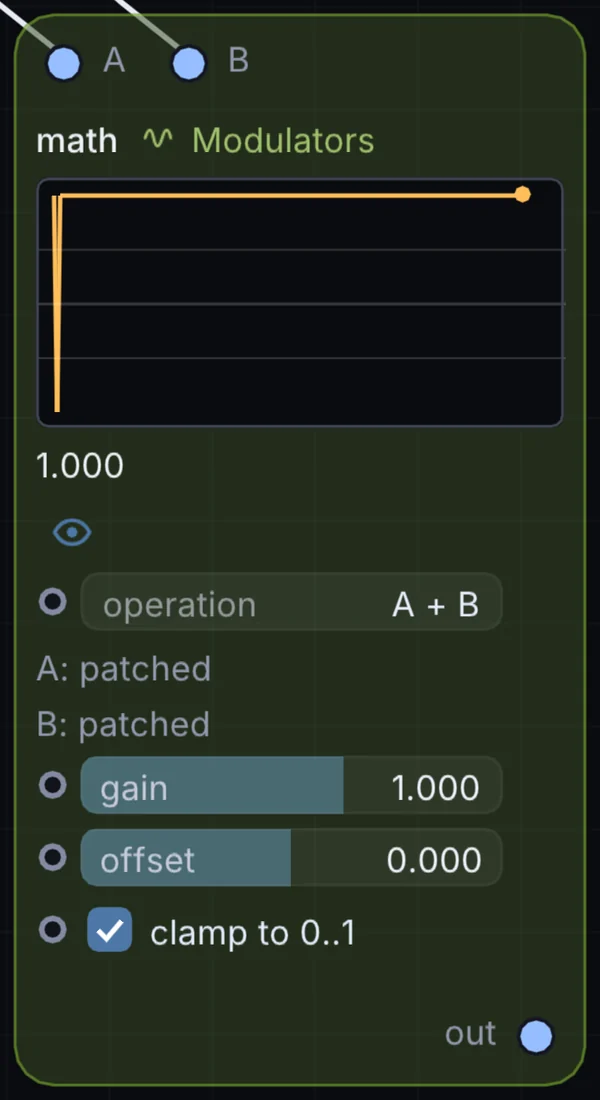
Combines two other modulator signals using one of ten operations — add, subtract, multiply, divide, min, max, average, and more — then scales and offsets the result.
What it does
Math is a modulator: it makes a moving value that can drive any control on the canvas. It takes control signal in and gives control signal out.
Try it
Multiply an LFO by a Random node so the wobble's depth itself wanders over time.
LFO + RandomMath (Multiply)Mod Depth
Inputs and outputs
Inputs
- control signal input
- control signal input 2
Outputs
- control signal out
Controls
Every control with a range can be driven by a modulator, a note, an audio level or a sketch.
| Control | Range or options | Default |
|---|---|---|
| operation | A + B, A - B, A * B, A / B, min(A,B), max(A,B), average, difference … | 0 |
| A (no cable) | 0 to 1 | 0.5 |
| B (no cable) | 0 to 1 | 0.5 |
| gain | -4 to 4 | 1 |
| offset | -1 to 1 | 0 |
| clamp to 0..1 | on or off | on |
Example patch
This patch wires Math to what it needs and shows the result. Download it, then use File, Open in Infinite, or read it here: it is plain text.
infinite-patch 1
rev 2
# Math: a starting patch for the Math node
node 1 Modulators Math
  id node
  pos 520 300
end
node 2 Modulators LFO
  id lfo0
  pos 0 220
end
node 3 Modulators LFO
  id lfo1
  pos 0 510
end
node 4 Source Shape
  id shape
  pos 1080 300
end
node 5 Utility Output
  id out
  pos 1640 300
end
mod node constantA lfo0 0 0 1 0.5
mod node constantA lfo1 0 0 1 0.5
mod shape sizeX node 0 0 0.6 0.5
cable out 0 shape