
Utility node
Mixer
The app's dedicated summing node, taking up to 8 input slots, each with its own gain, pan, and mute, plus a per-channel peak meter and an overall summed-output meter.
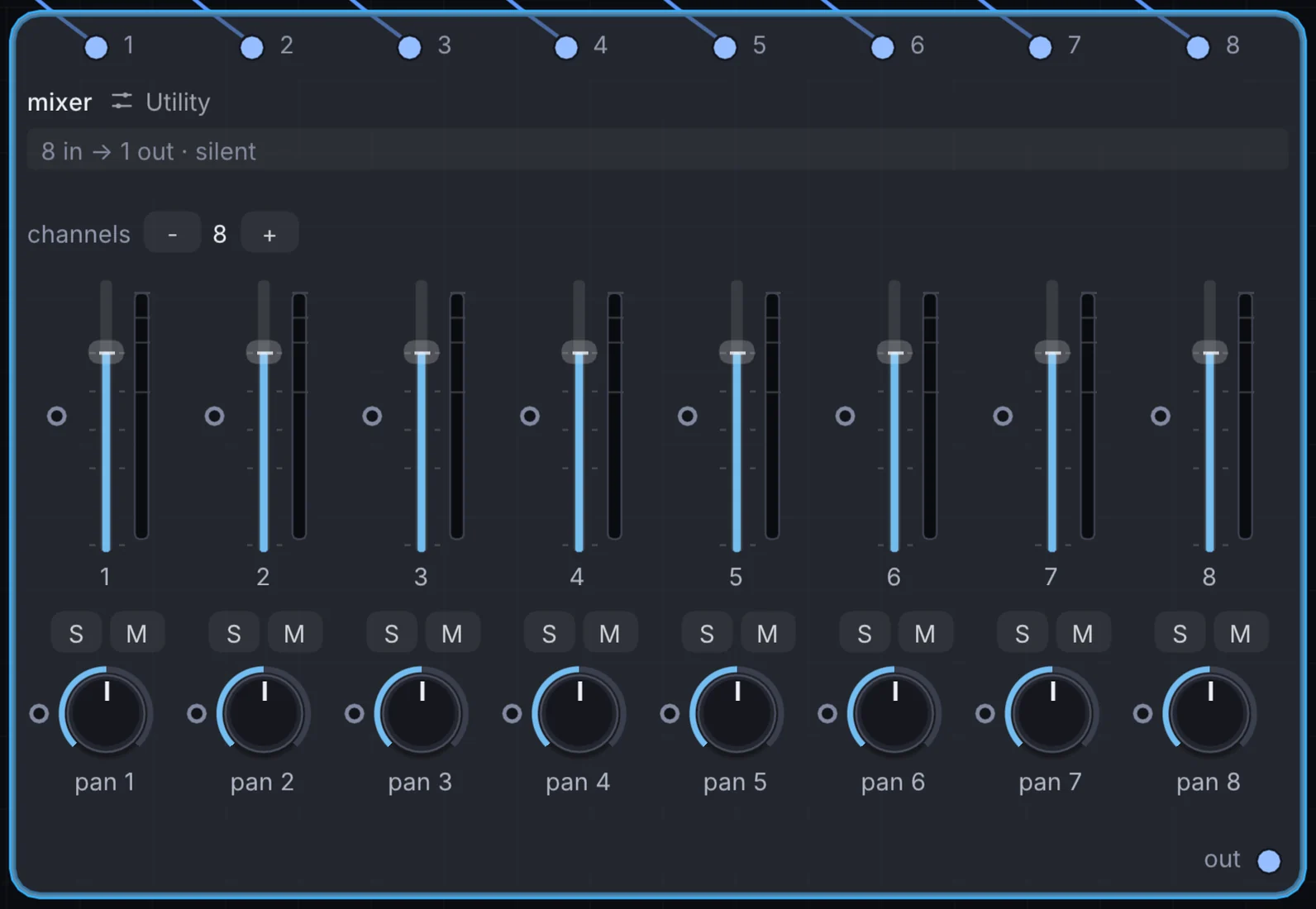
What it does
Mixer is a utility node: it routes signals in and out of Infinite or sets up the canvas. It takes audio in and gives audio out.
Try it
Pan several looped instrument stems across the stereo field and mute/unmute them live to build up an arrangement.
8x Audio SourcesMixerAudio Out
Inputs and outputs
Inputs
- audio 1
- audio 2
- audio 3
- audio 4
- audio 5
- audio 6
- audio 7
- audio 8
Outputs
- audio out
Controls
Every control with a range can be driven by a modulator, a note, an audio level or a sketch.
| Control | Range or options | Default |
|---|---|---|
| 1 | -60 to 12 | 0 |
| pan 1 | -1 to 1 | 0 |
| 2 | -60 to 12 | 0 |
| pan 2 | -1 to 1 | 0 |
| 3 | -60 to 12 | 0 |
| pan 3 | -1 to 1 | 0 |
| 4 | -60 to 12 | 0 |
| pan 4 | -1 to 1 | 0 |
| 5 | -60 to 12 | 0 |
| pan 5 | -1 to 1 | 0 |
| 6 | -60 to 12 | 0 |
| pan 6 | -1 to 1 | 0 |
| 7 | -60 to 12 | 0 |
| pan 7 | -1 to 1 | 0 |
| 8 | -60 to 12 | 0 |
| pan 8 | -1 to 1 | 0 |
Example patch
This patch wires Mixer to what it needs and shows the result. Download it, then use File, Open in Infinite, or read it here: it is plain text.
infinite-patch 1
rev 2
# Mixer: a starting patch for the Mixer node
node 1 Utility Mixer
  id node
  pos 520 300
end
node 2 Synths Oscillator
  id in0
  pos 0 220
end
node 3 Synths Oscillator
  id in1
  pos 0 510
end
node 4 Synths Oscillator
  id in2
  pos 0 800
end
node 5 Synths Oscillator
  id in3
  pos 0 1090
end
node 6 Utility Audio Out
  id speakers
  pos 1080 300
end
aud node 0 in0
aud node 1 in1
aud node 2 in2
aud node 3 in3
aud speakers 0 node