
3D node
Screw
Sweeps a profile around an axis in a spiral. Steps sets the smoothness, Turns the number of revolutions, Rise per turn the pitch, and Radius pushes the sweep outward.
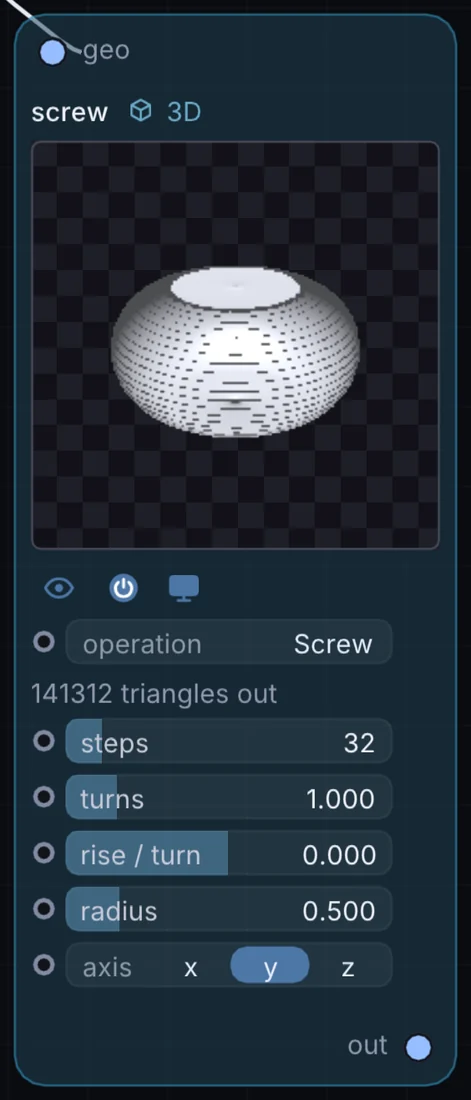
What it does
Screw is a 3D node: it builds, changes or lights geometry that Render 3D turns into a picture. It takes 3D shape in and gives 3D shape out.
Try it
Sweep a small circle to make a spring, or a flat strip for a spiral staircase.
Inputs and outputs
Inputs
- 3D shape geo
Outputs
- 3D shape out
Controls
Every control with a range can be driven by a modulator, a note, an audio level or a sketch.
| Control | Range or options | Default |
|---|---|---|
| operation | Transform, Array, Subdivide, Solidify, Extrude, Wireframe, Triangulate, Normals … | 12 |
| axis | x, y, z | 1 |
| steps | 3 to 256 | 32 |
| turns | 0.05 to 6 | 1 |
| rise / turn | -2 to 2 | 0 |
| radius | 0 to 3 | 0.5 |
Example patch
This patch wires Screw to what it needs and shows the result. Download it, then use File, Open in Infinite, or read it here: it is plain text.
infinite-patch 1
rev 2
# Screw: a starting patch for the Screw node
node 1 3D Screw
  id node
  pos 520 300
end
node 2 3D Cube
  id in0
  pos 0 300
end
node 3 3D Render 3D
  id view
  pos 1080 300
end
node 4 Utility Output
  id out
  pos 1640 300
end
geo node 0 in0
geo view 0 node
cable out 0 view