
3D node
Sculpt
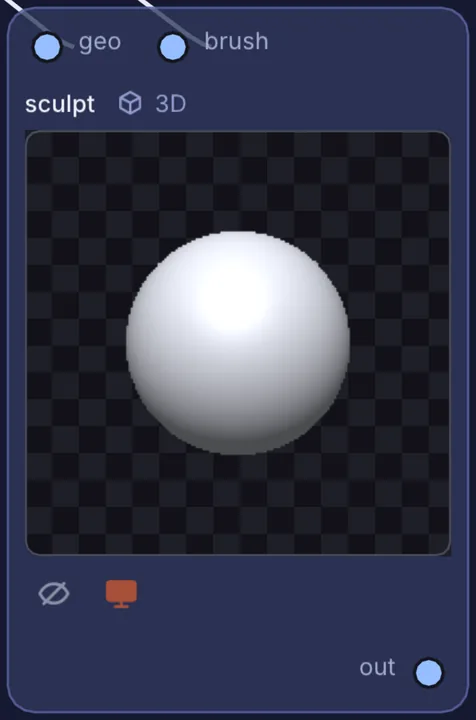
Holds a sculpt painted in the 3D View. Open in 3D View, or press Ctrl+Tab on the item. Amount blends the sculpt in so an LFO or audio can drive it, and Level subdivides the input first. Chain Sculpt nodes to layer sculpts, and patch any 2D node into brush so each dab takes its shape.
What it does
Sculpt is a 3D node: it builds, changes or lights geometry that Render 3D turns into a picture. It takes 3D shape and picture in and gives 3D shape out.
Try it
Sculpt a sphere, then wire an LFO to Amount to make it breathe.
Inputs and outputs
Inputs
- 3D shape geo
- picture brush
Outputs
- 3D shape out
Controls
Every control with a range can be driven by a modulator, a note, an audio level or a sketch.
| Control | Range or options | Default |
|---|---|---|
| amount | 0 to 2 | 1 |
| level | 0 to 3 | 0 |
Example patch
This patch wires Sculpt to what it needs and shows the result. Download it, then use File, Open in Infinite, or read it here: it is plain text.
infinite-patch 1
rev 2
# Sculpt: a starting patch for the Sculpt node
node 1 3D Sculpt
  id node
  pos 520 300
end
node 2 3D Cube
  id in0
  pos 0 220
end
node 3 Source Ramp
  id in1
  pos 0 510
end
node 4 3D Render 3D
  id view
  pos 1080 300
end
node 5 Utility Output
  id out
  pos 1640 300
end
geo node 0 in0
cable node 1 in1
geo view 0 node
cable out 0 view