
3D node
Sweep
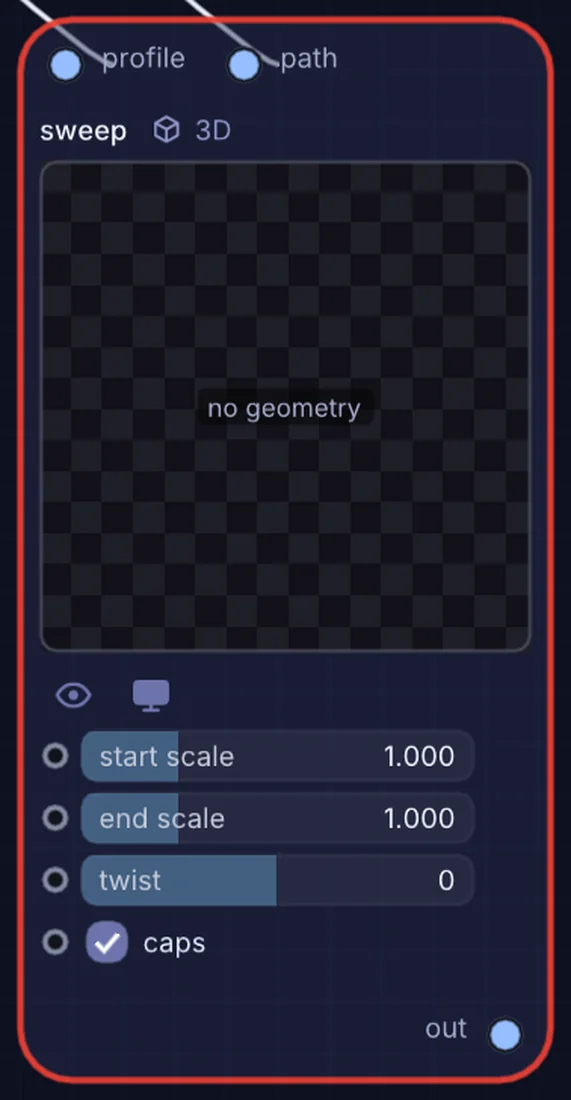
Carries a profile shape along a path curve to make a surface: pipes, rails, rims, cables and ribbons. Patch the profile into the first input and the route into the second. With no profile it sweeps a round one, so a path alone gives a tube (Profile Radius 0.002 to 2, default 0.1; Profile Sides 3 to 64, default 12). Start Scale and End Scale (0 to 4) taper it, Twist (-1080 to 1080) turns it along the way, and Caps closes the ends of a closed profile on an open path. Everyday use: a pipe, cable or neon tube along a drawn curve. Also called extrude along a path.
What it does
Sweep is a 3D node: it builds, changes or lights geometry that Render 3D turns into a picture. It takes 3D shape in and gives 3D shape out.
Try it
Draw a curve, sweep a tube with End Scale 0 and get a wire that fades to a point.
Inputs and outputs
Inputs
- 3D shape profile
- 3D shape path
Outputs
- 3D shape out
Controls
Every control with a range can be driven by a modulator, a note, an audio level or a sketch.
| Control | Range or options | Default |
|---|---|---|
| start scale | 0 to 4 | 1 |
| end scale | 0 to 4 | 1 |
| twist | -1080 to 1080 | 0 |
| caps | on or off | on |
| profile radius | 0.002 to 2 | 0.100000001 |
| profile sides | 3 to 64 | 12 |
Example patch
This patch wires Sweep to what it needs and shows the result. Download it, then use File, Open in Infinite, or read it here: it is plain text.
infinite-patch 1
rev 2
# Sweep: a starting patch for the Sweep node
node 1 3D Sweep
  id node
  pos 520 300
end
node 2 3D Cube
  id in0
  pos 0 220
end
node 3 3D Cube
  id in1
  pos 0 510
end
node 4 3D Render 3D
  id view
  pos 1080 300
end
node 5 Utility Output
  id out
  pos 1640 300
end
geo node 0 in0
geo node 1 in1
geo view 0 node
cable out 0 view