
Compositing node
Time Machine
Shows each pixel from a different moment: it keeps the last frames and a grey map (the second input) says how far back every pixel looks. A left-to-right ramp, the default, gives a slit-scan. Length sets how many frames are kept, up to 60.
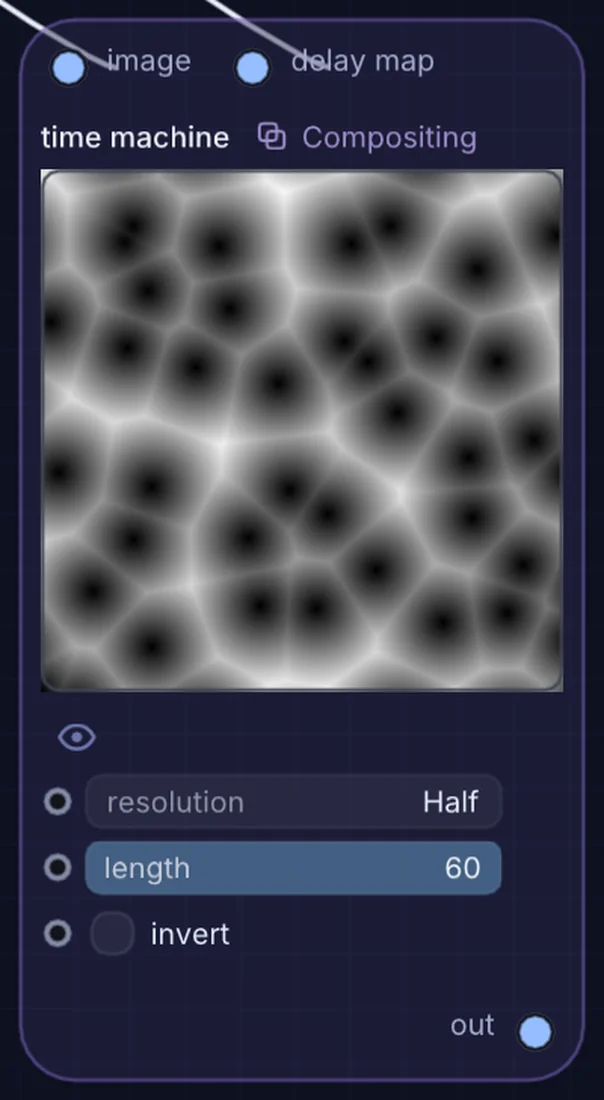
What it does
Time Machine is a compositing node: it layers, masks and routes pictures. It takes picture in and gives picture out.
Try it
Feed it a radial gradient so the middle of the picture lags behind the edges.
Inputs and outputs
Inputs
- picture image
- picture delay map
Outputs
- picture out
Controls
Every control with a range can be driven by a modulator, a note, an audio level or a sketch.
| Control | Range or options | Default |
|---|---|---|
| length | 2 to 60 | 60 |
| resolution | Full, Half, Quarter | 1 |
| invert | on or off | off |
Example patch
This patch wires Time Machine to what it needs and shows the result. Download it, then use File, Open in Infinite, or read it here: it is plain text.
infinite-patch 1
rev 2
# Time Machine: a starting patch for the Time Machine node
node 1 Compositing Time Machine
  id node
  pos 520 300
end
node 2 Source Ramp
  id in0
  pos 0 220
end
node 3 Source Ramp
  id in1
  pos 0 510
end
node 4 Utility Output
  id out
  pos 1080 300
end
cable node 0 in0
cable node 1 in1
cable out 0 node