
Source node
Video
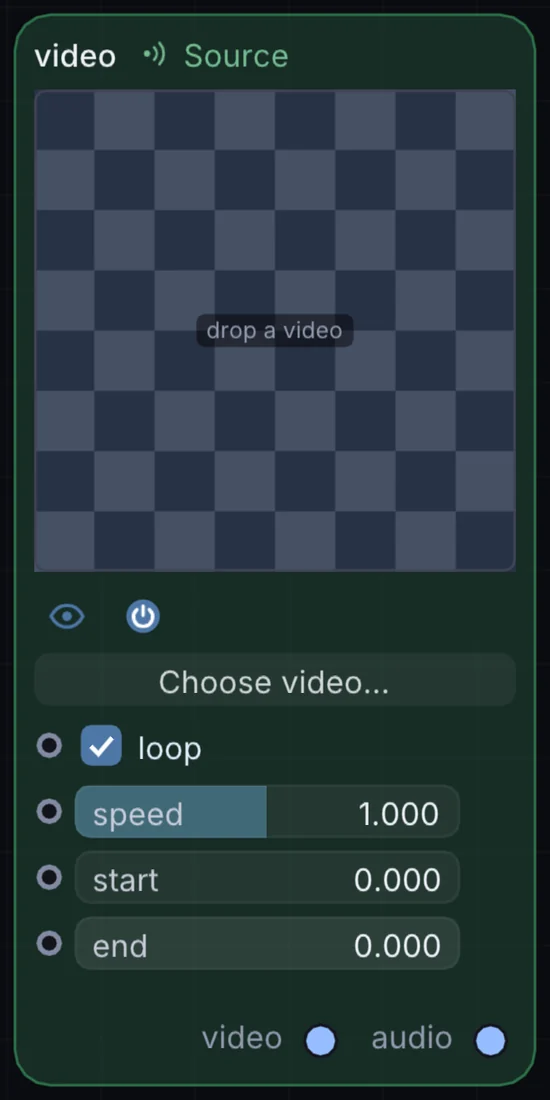
Plays back any movie file as a live texture, with a Loop switch and a speed dial — crank speed negative and it plays backwards. The simplest way to get found footage moving inside a patch.
What it does
Video is a source node: it makes a picture from nothing, so it sits at the start of a visual chain. It has no input and gives picture and audio out, so it starts a chain.
Try it
Set Speed to a small negative value for a slow, unsettling reverse loop.
VideoGlitchColor AdjustmentsOutput
Inputs and outputs
Inputs
- None. It starts a chain.
Outputs
- picture video
- audio audio
Controls
Every control with a range can be driven by a modulator, a note, an audio level or a sketch.
| Control | Range or options | Default |
|---|---|---|
| loop | on or off | on |
| speed | -2 to 4 | 1 |
| start | 0 to 1 | 0 |
| end | 0 to 1 | 0 |
Example patch
This patch wires Video to what it needs and shows the result. Download it, then use File, Open in Infinite, or read it here: it is plain text.
infinite-patch 1
rev 2
# Video: a starting patch for the Video node
node 1 Source Video
  id node
  pos 520 300
end
node 2 Utility Output
  id out
  pos 1080 300
end
cable out 0 node