
Modulators node
Audio Analyze
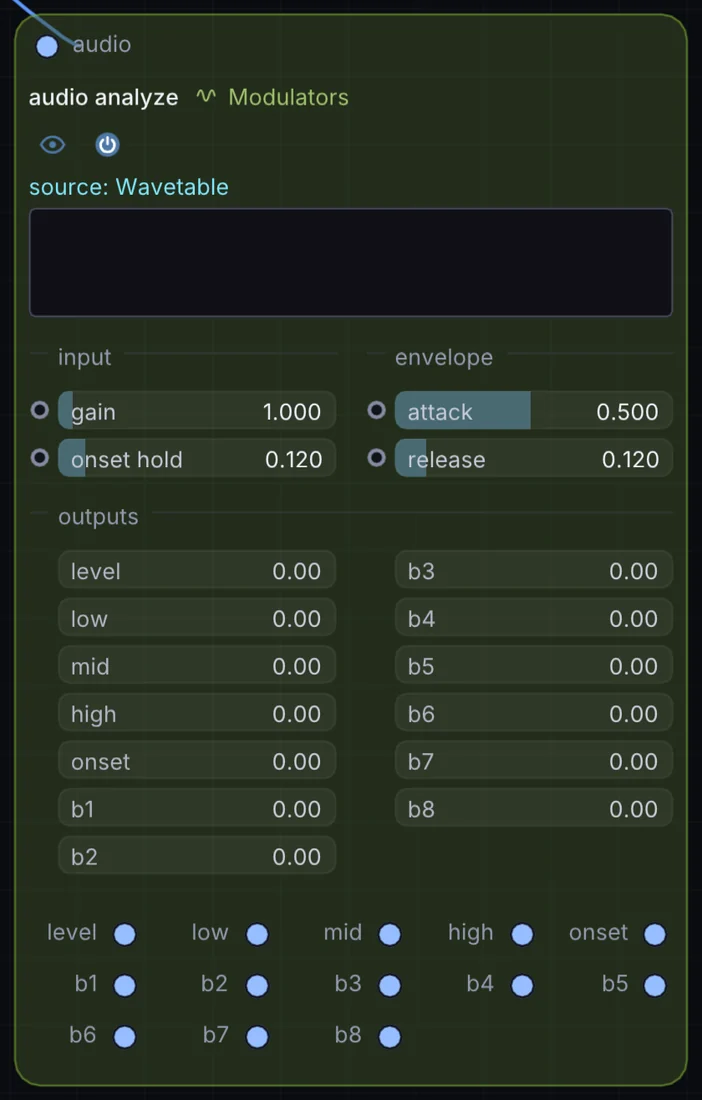
Listens to any audio and splits it into 8 frequency bands plus a transient onset trigger — the node that lets visuals genuinely react to music, band by band, hit by hit.
What it does
Audio Analyze is a modulator: it makes a moving value that can drive any control on the canvas. It takes audio in and gives control signal out.
Try it
Route a bass band into the Ocean node's amplitude so the sea pulses with the low end.
Audio MasterAudio Analyze (Bass)Ocean (Amplitude)
Inputs and outputs
Inputs
- audio audio
Outputs
- control signal level
- control signal low
- control signal mid
- control signal high
- control signal onset
- control signal b1
- control signal b2
- control signal b3
- control signal b4
- control signal b5
- control signal b6
- control signal b7
- control signal b8
Controls
Every control with a range can be driven by a modulator, a note, an audio level or a sketch.
| Control | Range or options | Default |
|---|---|---|
| gain | 0.1 to 16 | 1 |
| attack | 0.02 to 1 | 0.5 |
| release | 0.005 to 1 | 0.119999997 |
| onset hold | 0.02 to 1 | 0.119999997 |
Example patch
This patch wires Audio Analyze to what it needs and shows the result. Download it, then use File, Open in Infinite, or read it here: it is plain text.
infinite-patch 1
rev 2
# Audio Analyze: a starting patch for the Audio Analyze node
node 1 Modulators Audio Analyze
  id node
  pos 520 300
end
node 2 Synths Oscillator
  id in0
  pos 0 300
end
node 3 Source Shape
  id shape
  pos 1080 300
end
node 4 Utility Output
  id out
  pos 1640 300
end
aud node 0 in0
mod shape sizeX node 0 0 0.6 0.5
cable out 0 shape