
Compositing node
Blend
Combines two images with a wide range of blend modes — Multiply, Screen, Overlay, and more — plus an opacity dial. This is how you layer a glowing shape over live video, or double-expose two textures.
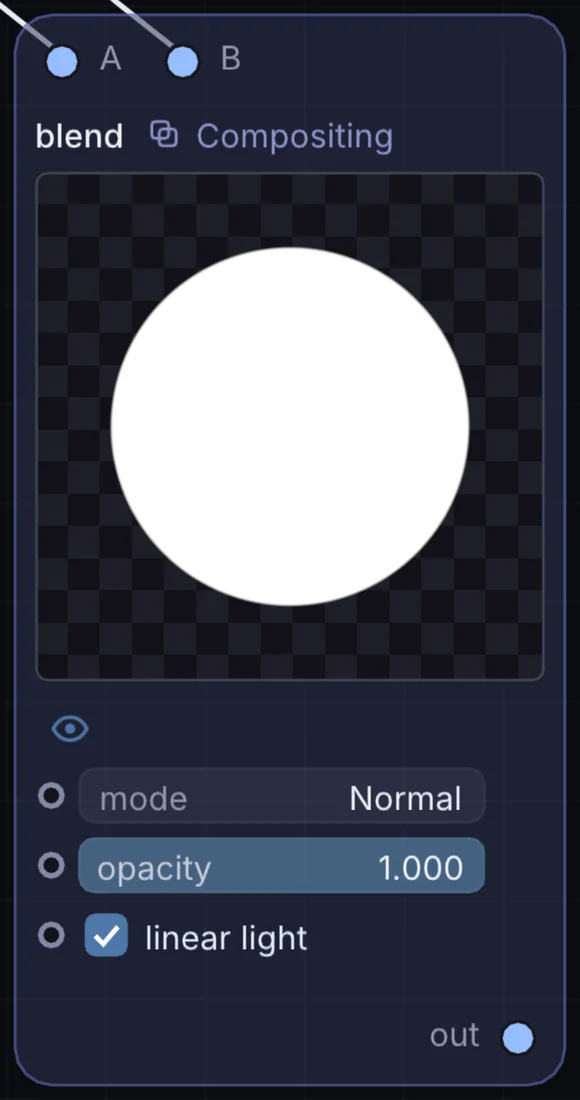
What it does
Blend is a compositing node: it layers, masks and routes pictures. It takes picture in and gives picture out.
Try it
Screen-blend a glowing shape over live video for a lightweight double-exposure look.
Video (Bottom)Blend (Screen)Output
Inputs and outputs
Inputs
- picture input
- picture input 2
Outputs
- picture out
Controls
Every control with a range can be driven by a modulator, a note, an audio level or a sketch.
| Control | Range or options | Default |
|---|---|---|
| mode | Normal, Darken, Multiply, Color Burn, Linear Burn, Darker Color, Lighten, Screen … | 0 |
| opacity | 0 to 1 | 1 |
| linear light | on or off | on |
Example patch
This patch wires Blend to what it needs and shows the result. Download it, then use File, Open in Infinite, or read it here: it is plain text.
infinite-patch 1
rev 2
# Blend: a starting patch for the Blend node
node 1 Compositing Blend
  id node
  pos 520 300
end
node 2 Source Ramp
  id in0
  pos 0 220
end
node 3 Source Ramp
  id in1
  pos 0 510
end
node 4 Utility Output
  id out
  pos 1080 300
end
cable node 0 in0
cable node 1 in1
cable out 0 node