
Source node
Ramp
A clean two-color gradient — linear, radial, angular, diamond, or spiral. Perfect as a soft backdrop, a mask, or a blend driver for another effect.
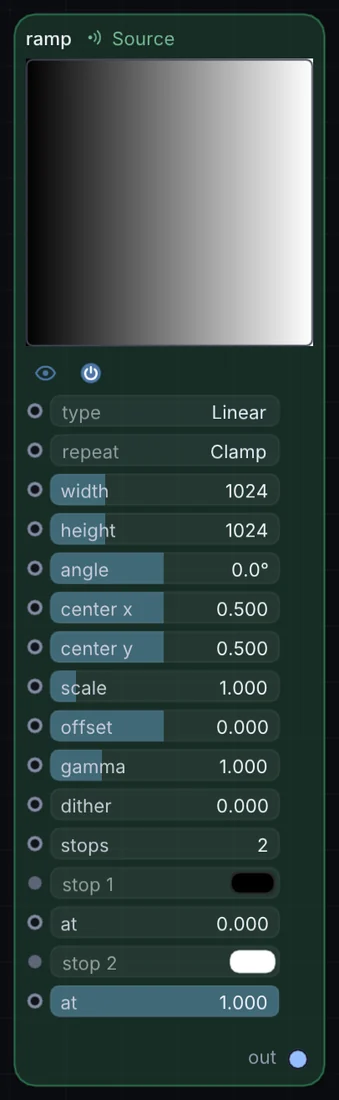
What it does
Ramp is a source node: it makes a picture from nothing, so it sits at the start of a visual chain. It has no input and gives picture out, so it starts a chain.
Try it
Multiply a radial Ramp over live video to vignette the edges of frame automatically.
Ramp (Radial)Blend (Multiply)Video
Inputs and outputs
Inputs
- None. It starts a chain.
Outputs
- picture out
Controls
Every control with a range can be driven by a modulator, a note, an audio level or a sketch.
| Control | Range or options | Default |
|---|---|---|
| type | Linear, Radial, Angular, Diamond, Spiral | 0 |
| repeat | Clamp, Repeat, Mirror | 0 |
| width | 16 to 4096 | 1024 |
| height | 16 to 4096 | 1024 |
| angle | -180 to 180 | 0 |
| center x | -0.5 to 1.5 | 0.5 |
| center y | -0.5 to 1.5 | 0.5 |
| scale | 0.05 to 8 | 1 |
| offset | -1 to 1 | 0 |
| gamma | 0.1 to 4 | 1 |
| dither | 0 to 1 | 0 |
| stops | 2 to 5 | 2 |
| at | 0 to 1 | 0 |
| at | 0 to 1 | 1 |
Example patch
This patch wires Ramp to what it needs and shows the result. Download it, then use File, Open in Infinite, or read it here: it is plain text.
infinite-patch 1
rev 2
# Ramp: a starting patch for the Ramp node
node 1 Source Ramp
  id node
  pos 520 300
end
node 2 Utility Output
  id out
  pos 1080 300
end
cable out 0 node