
3D node
Audio Ribbon
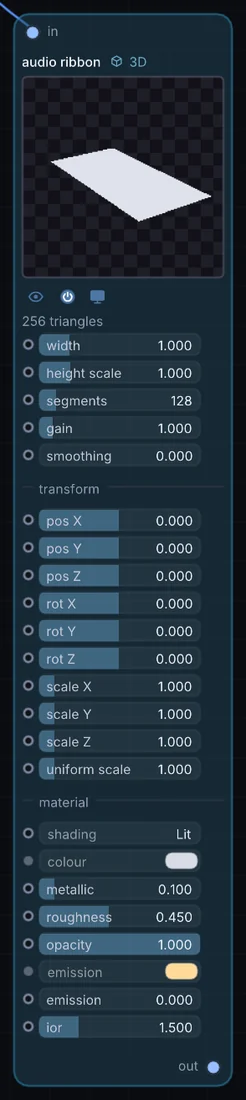
Builds its own ribbon-shaped mesh directly from an audio signal — no upstream geometry needed. Width, height scale, segment count, gain, and smoothing are all adjustable, alongside its own transform and material.
What it does
Audio Ribbon is a 3D node: it builds, changes or lights geometry that Render 3D turns into a picture. It takes audio in and gives 3D shape out.
Try it
Route a vocal track in and place several ribbons at different rotations to build a waveform sculpture.
Inputs and outputs
Inputs
- audio input
Outputs
- 3D shape out
Controls
Every control with a range can be driven by a modulator, a note, an audio level or a sketch.
| Control | Range or options | Default |
|---|---|---|
| width | 0.05 to 5 | 1 |
| height scale | 0 to 5 | 1 |
| segments | 16 to 1024 | 128 |
| gain | 0.1 to 10 | 1 |
| smoothing | 0 to 0.99 | 0 |
| pos X | -10 to 10 | 0 |
| pos Y | -10 to 10 | 0 |
| pos Z | -10 to 10 | 0 |
| rot X | -3.142 to 3.142 | 0 |
| rot Y | -3.142 to 3.142 | 0 |
| rot Z | -3.142 to 3.142 | 0 |
| scale X | 0.01 to 10 | 1 |
| scale Y | 0.01 to 10 | 1 |
| scale Z | 0.01 to 10 | 1 |
| uniform scale | 0.01 to 10 | 1 |
| metallic | 0 to 1 | 0.100000001 |
| roughness | 0.02 to 1 | 0.449999988 |
| opacity | 0 to 1 | 1 |
| shading | Lit, Normals, UV, Flat | 0 |
| emission | 0 to 8 | 0 |
| ior | 1 to 3 | 1.5 |
Example patch
This patch wires Audio Ribbon to what it needs and shows the result. Download it, then use File, Open in Infinite, or read it here: it is plain text.
infinite-patch 1
rev 2
# Audio Ribbon: a starting patch for the Audio Ribbon node
node 1 3D Audio Ribbon
  id node
  pos 520 300
end
node 2 Synths Oscillator
  id in0
  pos 0 300
end
node 3 3D Render 3D
  id view
  pos 1080 300
end
node 4 Utility Output
  id out
  pos 1640 300
end
aud node 0 in0
geo view 0 node
cable out 0 view